Posts

Showing posts with the label Database Management

How to create a Simple Scheduler Job in Oracle Database using Toad
Image
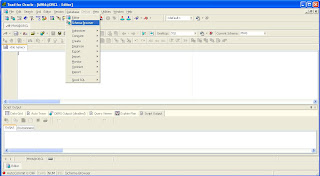
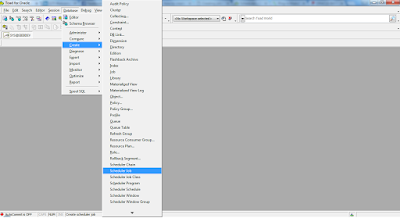
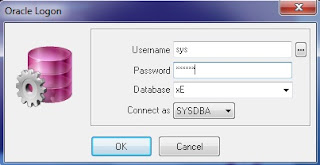
Scheduler is a process which runs programmed jobs at scheduled times. This process wakes up at the specified time and runs automatically. The basic elements of the scheduler are: Jobs Schedules Programs A job specifies what needs to be executed and when. A program is a collection of metadata that will be executed by the scheduler. It contains the name of the program (a procedure or an executable, the type of the program (pl/sql block, shell script etc). A schedule specifies when and how many times a job is executed. 1. Login to the database using Toad, and create a Scheduler Job as follows;

Create and configure Oracle Database 11g for WebCenter Sites 11g installation on Windows 7

Image
In this post we create and configure Oracle database 11g for WebCenter Sites installation on Windows 7. Create Oracle Database 11g Launch the Oracle Database Configuration Assistant from start menu --> All Program --> Configuration and Migration Tools In the Operations screen, select Create a Database and click Next

How to Unlock HR Schema in Oracle Database XE 11gR2 by using PL/SQL Developer

Image
Oracle provides sample HR schema in all versions of its databases which is locked by default. For working with tutorial of Introduction to Oracle you need to work on HR schema. Follow the given below steps to unlock HR schema in Oracle Database XE 11gR2 by using PL/SQL Developer. Login in PL/SQL Developer as a user “system or sysdba” with respective password Click on New button and open Command Window

How to Create Packages in Oracle Database using TOAD for Oracle

Image
What are Packages in Oracle Database A package is a group of procedures, functions, variables and SQL statements created as a single unit. It is used to store together related objects. A package has two parts, Package Specification and Package Body. Package Specification Package Specification acts as an interface to the package. Declaration of types, variables, constants, exceptions, cursors and subprograms is done in Package specifications. Package specification does not contain any code. Package Body Package body is used to provide implementation for the subprograms, queries for the cursors declared in the package specification.

How to create Oracle stored Procedures using TOAD for Oracle

Image
In a database management system, a stored procedure is a set of Structured Query Language (SQL) statements with an assigned name that's stored in the database in compiled form so that it can be shared by a number of programs. The use of stored procedures can be helpful in controlling access to data, preserving data integrity and improving productivity. The Oracle PL/SQL language allows you to write procedure to centralize the business logic and store the code in the database. I have created the following Stored Procedure on Oracle using TOAD. This particular Stored Procedure will Insert a Customer to the Customer Table. For the sake of simplicity, Customer Table contains only 4 columns (Customer ID, Customer Name, City and Contact No). In this post I will show you how to create Oracle stored Procedure using TOAD.  Connect to Oracle Database using TOAD. Click on Database menu and open Schema Browser.

How to create Oracle stored Functions using TOAD for Oracle

Image
The Oracle PL/SQL language allows you to write functions and procedure to centralize the business logic and store the code in the database.  A stored function is similar to a stored procedure with one key difference, a stored function returns a single value. This makes a stored function available in your SQL SELECT statements, unlike stored procedures that you must call within an anonymous PL/SQL block or another stored procedure. In this post I will show you how to create Oracle stored Functions using TOAD.  Connect to Oracle Database using TOAD. Click on Database menu and open Schema Browser.

How to Create Synonyms in Oracle using TOAD for Oracle

Image
A synonym is a database object that provides a better name to refer to objects. You can use synonyms to  shorten lengthy names or to ease the reference to an object owned by another user. You can create  synonyms for a table, view, sequence, procedure and other objects. In this post I will show you how to create Synonyms in Oracle Database using TOAD for Oracle. Connect to Oracle Database using TOAD. Click on Database menu and open Schema Browser

Database Many to Many Relationship with Examples

Image
We cannot characterize a many-to-many association directly in a relation scheme, because two tables cannot be children of each other. When you design your ERD, you will be challenged by lots of possibilities for many to many relationships. You would have learned that we do not want to draw many-to-many relationships in our ERD. We want to break them up by putting a junction-entity in between. Instead of a many-to-many relationship, we then get two one-to-many relationships with the junction entity in the middle. Examples: 1. Student-professor. A student will have one or more professors. The same professor will have lots of students. 2. At a hospital a patient will be assigned to a coupld of nurses. A specific nurse will be assigned to 1 or many patients. 3. A student will have lots of subjects and the same subject can be taken by lots of students. Lets look at the Student - Professor Now, because many-to-many are not allowed, we will change this to add a junction-entity (StudentProfess...

Database One to Many Relationship with example

Image
One to Many relationship is the most common relationship and your database entity relationship diagram (ERD) will be full of this kind of relationship. Examples 1. Master-detail. You have a master record with many detail records. For example an order, there will be a master record with the order date, person placing the order, etc. And then detail records of everything ordered. The master record will have many details, and the detail will have only 1 master. 2. Supervisor-subordinates. A supervisor will have one or many subordinates. A subordinate will have only 1 manager. 3. Division- department. A division will have one or many departments. A department will belong to only 1 division. Let’s look at the Master - Detail The two entities could translate into the following two tables: In the Master table, the OrderNumber is the primary key. In the detail table, OrderNumber is the foreign key. The primary key in the Detail table will be a combination of OderNumber and LineNumber. The inf...

Database One to One Relationship with example

Image
In most database designs, if you have a One to One relationship, there is most likely something wrong with your database design. It should be very exceptional to have One to One relationship. In general this would point out that your two entities with the one to one relationship should be combined into one single entity. Example: In Pakistan a person can have only one ID Card. Also, a sp ecific ID card can belong to only one person. Let’s look at the Person and ID Document example: In the Person table, the column Person ID will be the Primary Key. In the ID Document table, the ID Number will be the Primary key.