Posts

Difference between Oracle PL/SQL programming and Java Programming Language

Oracle PL/SQL JAVA Variable declaration T1 Number (8,2); T2 Number (5) := 5; T3 Varchar2(23); T4 Date; T5 Char; Variable declaration String T1; int T2; double T3; Date T4 = new Date(); char T5; if condition in PL/SQL IF (condition) THEN statement; statement; ELSE statement; statement; END IF; if condition in Java if (condition){ statement; statement; }else { statement; statement; } Exception handling BEGIN statement; statement; statement; EXCEPTION WHEN (exception) THEN statement; statement; END; Exception handling try{ statement; statement; } catch (Exception ex){ statement; } finally { statement; } For Loop FOR i IN [REVERS] low..upper statement; statement; END LOOP; For Loop for (int; condition; inc){ statement; statement; } While Loop WHILE (condition) LOOP statement; statement; END LOOP; While Loop while (condition){ statement; statement; }

List of Data Types in Java Language

There are eight basic data types for the storage of integers, floating-point numbers, characters, and boolean values. These often are called primitive type because they are built in parts of the java language rather than objects, which makes them more efficient use. Another type of number that can be stored is a floating-point number, which has the type float or double. Type Size byte 8 bits short 16 bits int 32 bits long 64 bits

List of Comparison Operators in Java Language

Java has several operators for making comparisons among variables. Operator Meaning Example == Equal x==3 != Not Equal x!=3 < Less than x<3 > Greater than x>3 <= Less than or equal to x <= 3 >= Greater than or equal to x >= 3

Moving from Oracle Developer Suite to Oracle ADF

Image
Hi, I am Oracle Developer and working in Oracle Forms, Reports, SQL and PL/SQL. Now i am starting to learn JAVA Programming and Oracle ADF because Oracle announced that they will stop the support of Oracle Developer Suite in 2013 and Oracle ADF will replace Oracle Developer Suite in future. In the upcoming posts i will share my learning of Java Programming and Oracle ADF.

List of Java Language Reserved Keywords

Here is a list of keywords in the java language. These words are reserved you cannot use any of these words as names in your programs. abstract continue for new switch boolean default package synchronized break do if private this double implements protected throw byte else import public throws case enum assert instanceof return transient catch extends int short try char final interface static void class finally long strictfp volatile float native super while

Tools for inserting Unicode Urdu Data into Oracle Database

Image
Following tools are used to insert Unicode Urdu Data into Oracle Database without any configuration or setting. 1) Oracle iSQL*Plus 2) Oracle SQL Developer Oracle iSQL*Plus iSQLPlus (iSQL*Plus) is a web-based utility similar to SQL*Plus. Using iSQL*Plus you can run SQL and PL/SQL commands and display their results. iSQLPlus commonly used by users, administrators, and programmers. How to access Oracle iSQL*Plus Use the following command to start the services of Oracle iSQL*Plus. Isqlplusctl start Open your web browser and navigate to the system (http://your.system.name:5560/isqlplus) . Oracle iSQL*Plus used the 5560 port. Oracle SQL Developer Oracle SQL Developer is an integrated development environment (IDE) for working with SQL in Oracle databases. Oracle Corporation provides this product free. You can use this IDE to insert Unicode Urdu data in Oracle Database without any NLS LANG setting.

Set the Urdu Supported Character Set in Oracle Database

Image
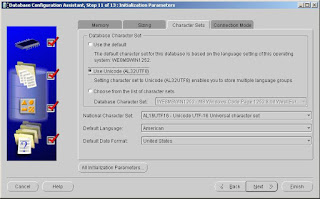
Last week my Team Lead gave me the task to Store Urdu in Oracle Database (for sending SMS). For this purpose I have created a database through Database Configuration Assistant (dbca) and on Initialization Parameters step picked the Use Unicode (AL32UTF8). Setting character set to Unicode (AL32UTF8) enables you to store multiple language groups. Set the National Character Set AL16UFT16-Unicode UTF-16 Universal Character Set as shown below. After database creation set the NLS_LANG parameter of Oracle Database on Window’s Registry as shown below. Data value should be AMERICAN_AMERICAN.AL32UTF8. After this restart the Services of Oracle Database and TNS Listener. To verify the NLS Database Parameters execute the following query. select * from nls_database_parameters where parameter = any('NLS_CHARACTERSET','NLS_NCHAR_CHARACTERSET'); To store the Urdu character sets I set the column datatype NVARCHAR and completed the first face of my project task succes...